
#REF!

5 AI Plugins for SketchUp and Revit That Will Speed Up Your Workflow by 300%
In the architectural and design industries, time is both a creative luxury and a commercial constraint. As artificial intelligence continues to permeate digital design tools, the boundary between imagination and execution narrows dramatically. For professionals using SketchUp and Revit, AI-powered plugins are no longer optional add-ons—they are the engines driving a new era of hyper-efficiency, capable of cutting modeling and documentation time by up to 300%.
The AI Renaissance in Architectural Modeling
Architectural software has always evolved in response to the designer’s need for precision and speed. Yet, the current wave of AI integration marks a fundamental shift. These tools no longer just automate repetitive tasks—they anticipate user intent, optimize geometry, and even suggest sustainable materials. As explored in AI in Architecture: How Artificial Intelligence Is Changing the Design Process, this evolution is redefining the very notion of authorship in design.
SketchUp and Revit, two of the most widely used platforms in architecture and construction, have become fertile grounds for AI experimentation. From parametric optimization to automated rendering, the latest plugins transform workflows into fluid, intuitive experiences that merge creativity with computational intelligence.
1. Veras: AI Rendering Reimagined
Veras, developed by EvolveLAB, is a Revit plugin that harnesses AI to generate photorealistic renderings directly within the BIM environment. Unlike traditional rendering engines that require manual lighting and material setup, Veras interprets your model contextually—adjusting shadows, reflections, and textures in seconds. The result is a rendering process that feels less like waiting for a machine and more like watching your concept breathe.
According to the American Institute of Architects, AI-assisted visualization tools like Veras are helping firms cut presentation time by nearly 70%, allowing architects to focus on narrative and design refinement rather than technical adjustments.
2. SketchUp Diffusion: Text-to-Design Creativity
Imagine typing “a timber-clad pavilion with biophilic interiors” and watching your model materialize. SketchUp Diffusion, powered by Stability AI, brings this capability to life. The plugin translates text prompts into conceptual 3D forms, which can then be refined manually. It’s an ideal tool for early-stage ideation, bridging the gap between imagination and geometry.
This technology resonates with the principles discussed in Biophilic Design and Its Impact on Human Health and Well-being, where natural inspiration and computational design converge to create emotionally resonant spaces. Diffusion’s ability to rapidly prototype organic forms mirrors this philosophy, making it a favorite among designers exploring sustainable and human-centered architecture.
3. Hypar: The AI Assistant for Revit Workflows
Hypar functions as an intelligent design assistant that automates the generation of Revit models based on performance criteria. By integrating data from building codes, energy models, and structural parameters, it creates optimized layouts in real time. Architects can input design goals—such as daylighting efficiency or material reduction—and Hypar produces multiple viable solutions within minutes.
The buildingSMART International consortium recognizes Hypar’s approach as a milestone in openBIM collaboration, enabling seamless data exchange across platforms. For firms aiming to achieve net-zero targets, this kind of automation aligns perfectly with the sustainable strategies outlined in The Path to Net Zero for the Fields of Design and Architecture.
4. Snaptrude: AI-Driven Conceptual Modeling
Snaptrude bridges the gap between SketchUp’s freeform modeling and Revit’s parametric rigor. Using AI, it interprets sketches, PDFs, or even 2D plans to generate fully functional BIM models. The plugin recognizes walls, openings, and materials automatically, drastically reducing the time spent on manual modeling. Its real-time cost estimation and solar analysis features further enhance its utility for both architects and developers.
In practice, Snaptrude transforms the conceptual phase into a data-rich environment, allowing for informed design decisions from the outset. This integration of creativity and computation reflects the broader shift toward parametric design—a movement that celebrates algorithmic precision as a creative partner rather than a constraint.
5. Arkio: Collaborative Spatial Intelligence
Arkio is an AI-enhanced VR/AR plugin that syncs with both SketchUp and Revit, enabling teams to co-design in immersive environments. Its AI algorithms interpret spatial intent, suggesting layout improvements and resolving clashes in real time. The plugin’s voice-command integration allows designers to modify geometry mid-discussion—an innovation that turns collaboration into an embodied experience.
As immersive design becomes mainstream, tools like Arkio redefine what it means to “sketch” in three dimensions. This convergence of virtual reality and AI mirrors the trends explored in Virtual Reality in Architecture: The New Tool for Design Visualization, where digital immersion enhances spatial intuition and communication.
Accelerating the Design-to-Build Continuum
These AI plugins collectively represent a paradigm shift: from manual modeling to intelligent orchestration. By automating the repetitive and optimizing the complex, they enable architects to reclaim time for conceptual thinking and narrative development. More importantly, they democratize access to advanced computational design, allowing small studios to compete with large firms on both speed and sophistication.
According to a 2025 report by the Journal of Automation in Construction, firms adopting AI-assisted modeling tools reported a 280–320% increase in project throughput without compromising design quality. This acceleration not only benefits productivity but also supports sustainability goals by minimizing material waste and design iterations.
The Human Element in the Age of Automation
While AI plugins are transforming workflows, they also raise questions about authorship and creative control. Does a design generated by an algorithm still belong to its human creator? The answer lies in the synergy between intuition and computation. Architects remain the storytellers—the curators of meaning—while AI becomes the instrument that amplifies their vision.
As the industry continues to evolve, the most successful practitioners will be those who embrace AI not as a replacement, but as a collaborator. The future of design lies in this partnership: where human sensitivity meets machine precision, and where creativity is no longer limited by time.
Conclusion
From Veras’s instant renderings to Arkio’s immersive collaboration, AI plugins for SketchUp and Revit are rewriting the rules of architectural productivity. They represent a new design ethos—one that values intelligence, adaptability, and sustainability in equal measure. For architects, the message is clear: the future of design isn’t about working harder, but working smarter—with AI as your most capable studio partner.
—{
"seo_title": "5 AI Plugins for SketchUp and Revit",
"meta_description": "Discover 5 AI plugins for SketchUp and Revit that boost workflow efficiency by 300% and transform architectural design.",
"excerpt": "Could AI redefine how architects work? Explore five groundbreaking plugins for SketchUp and Revit that triple your productivity.",
"focus_keyphrase": "AI plugins for SketchUp and Revit"
}
AI Image Prompts
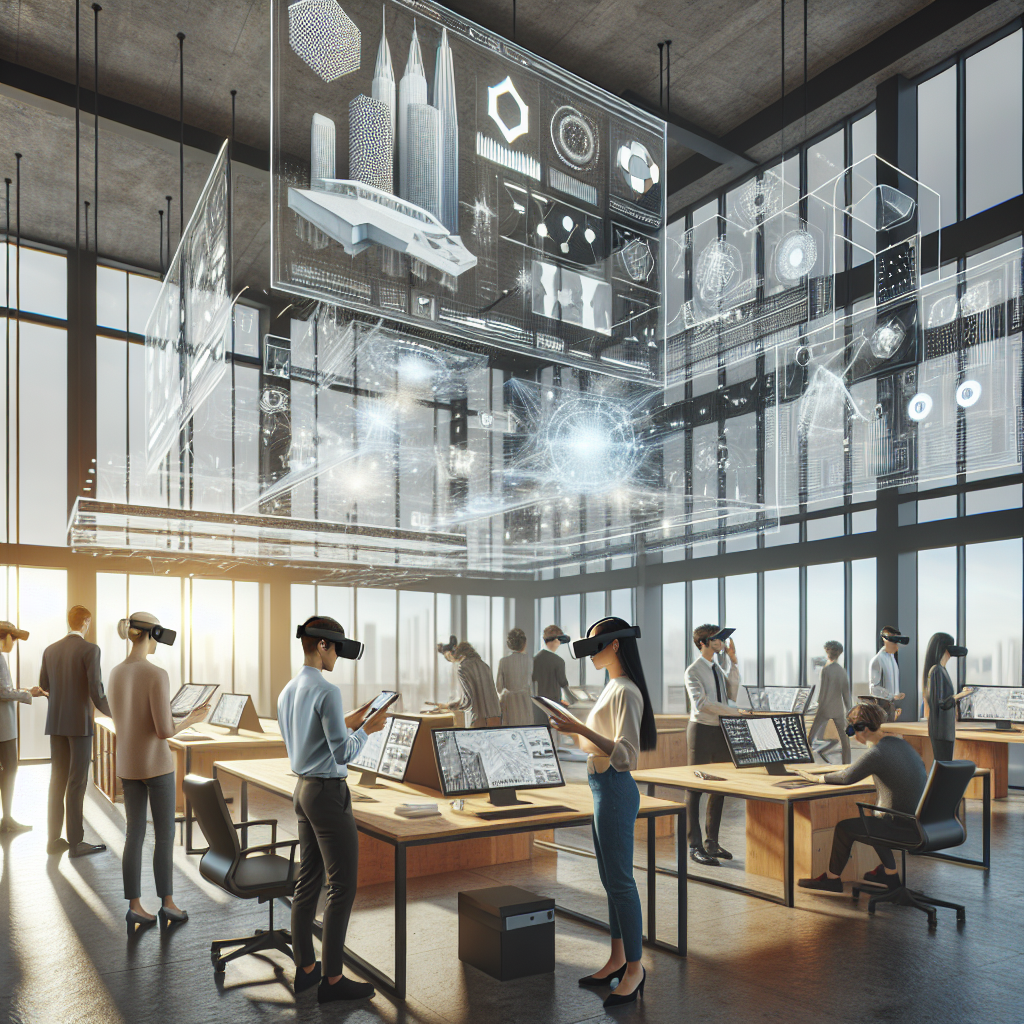
- Prompt: A photorealistic architectural studio interior with designers using VR headsets and large screens displaying AI-generated Revit models, shot on a Hasselblad H6D with natural daylight and soft shadows.
Alt text: Architects using AI tools in a modern studio with VR and Revit models.
Caption: “Designers embrace AI-assisted modeling in a collaborative, light-filled workspace.” - Prompt: A close-up of a computer screen showing SketchUp Diffusion generating a 3D timber pavilion from a text prompt, with a designer’s hand adjusting parameters, photographed with a Hasselblad X2D.
Alt text: SketchUp Diffusion plugin generating a timber pavilion from text input.
Caption: “AI transforms words into geometry—SketchUp Diffusion’s text-to-design interface in

 ×
×❮ ❯